Why your AI character looks different every time
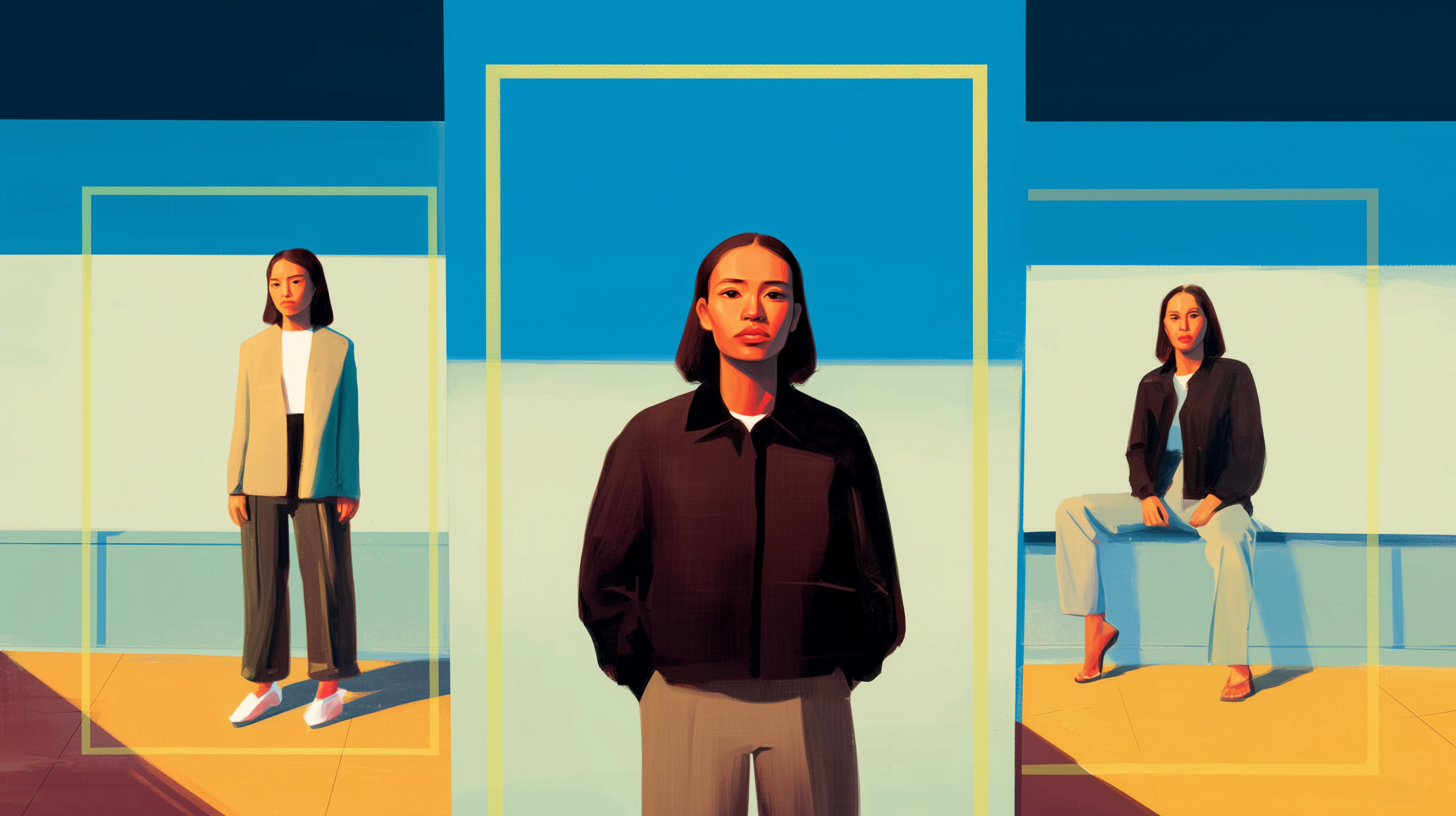
Maintaining the same character across multiple AI generations is one of the hardest problems in AI creative work. Generate a character from a text prompt once—they look perfect. But when you try to use the same text description to generate that same character in a different setting, you likely get a completely different person.
This happens because, by default, AI generates from scratch every time. So how do you get AI to re-use the same character, even across generations?
The secret lies with character references.
By giving the AI a character reference photo, your AI tool can understand and maintain that exact appearance across every future generation.
This guide covers what character references are, how to create or source effective ones and the practical workflow for maintaining consistent AI characters. Whether you're generating a character from scratch or using an existing photo, the process is the same: give the AI something to reference, and it locks onto that appearance for your entire project.
What is an AI character?
An AI character is a person or figure you generate using AI image or video tools. It could be someone you create from scratch with text prompts, or an existing person from a photo you upload.
The challenge: When you prompt AI for a new image, by default the tool will generate something from scratch. This is why your character changes appearance with each new generation—unless you use character references to lock in their look.
Creating vs. using existing characters
Before you can maintain character consistency, you need a character to work with. You have two options: generate one from scratch using AI, or use an existing photo.
Generating a character from scratch
Use text-to-image AI tools to create a completely original character. Write a detailed prompt describing their appearance—age, features, clothing, style—and generate until you get a result you like. This gives you full creative control and ensures you own the character design.
Best for: Original projects, fictional characters, creative work where you need something that doesn't exist yet.
Read: The Ultimate AI Image Prompting Guide: 68 Ready-to-Use Prompts →
Using an existing photo
Upload a photo of a real person, illustration or character design you already have. This works with photos you've taken, stock images you've licensed or characters you've designed through other methods.
Best for: Real people in your projects, adapting existing character designs, maintaining a specific look you already have.
Creating an AI character from scratch
If you're generating a new character, the key is creating a clear, detailed description that the AI can reproduce consistently. The more specific you are upfront, the easier it becomes to maintain that character later.
Write a detailed character description
Start with the basics: age, gender, ethnicity, body type. Then add specific facial features—eye color and shape, nose structure, face shape, distinctive features like freckles or scars. Include hair details: length, texture, color, style.
Don't write: "A young woman with dark hair"
Write: "A woman in her late 20s with shoulder-length black hair in loose waves, almond-shaped brown eyes, high cheekbones, olive skin tone"
The second description gives the AI enough detail to create something specific and reproducible.
Choose your visual style
Decide how you want your character rendered. This affects both the look and how consistently the AI can recreate them.
Common styles:
- Photorealistic: Looks like a real photograph, works well for serious or professional content
- 3D rendered: Clean, polished look common in animation and games
- Anime/manga: Stylized with large eyes and distinctive proportions
- Cartoon: Simplified features, exaggerated expressions
- Digital illustration: Painted look with varied artistic styles
Pick one style and stick with it. Mixing styles makes consistency harder.
Read: 42 AI image styles you need to know →
Add signature elements
Give your character 2-3 distinctive features that make them instantly recognizable. A leather jacket they always wear. Specific glasses. A particular hairstyle. A visible tattoo or scar.
These anchors help both the AI and your audience identify the character across different scenes and angles.
Use this prompt formula
Basic structure: [Style] + [Character description] + [Signature elements]
Example prompts:
- "Photorealistic portrait of a man in his 40s with short gray hair, blue eyes, square jaw, wearing round wire-frame glasses and a navy blazer"
- "3D rendered character, woman in early 30s with red curly hair in a high ponytail, green eyes, light freckles across nose and cheeks, wearing a black leather jacket"
- "Anime style character, teenage boy with spiky blonde hair, bright blue eyes, wearing a white hoodie with red accents"
Generate and refine
Create 5-10 variations using your prompt. The AI will interpret your description slightly differently each time. Review the results and pick the one that best matches your vision.
Save that image—it becomes your character reference for every future generation.
Maintaining AI character consistency
Whether you generated an AI character or used an existing one, you now have a character to work with. Now comes the hard part: keeping that character consistent across multiple generations. This is where character references become essential.
What are character references?
A character reference is an image you upload that tells the AI exactly which character to maintain. Instead of describing your character with text prompts every time, you show the AI a photo and say "generate this person."
The AI analyzes the reference image—facial features, proportions, distinctive characteristics—and uses that information to recreate the same character in new contexts. Same face, different scene. Same person, different angle.
How to use character references
Upload your character image to your AI tool's character reference feature. Most tools, including Runway, call this a reference image.
Though the mechanics may vary by platform, the concept is identical: you're giving the AI a template to copy instead of asking it to create from scratch.
Tip 1: Use multiple reference images for better results
Some tools let you upload 2-3 reference images of the same character. This gives the AI a more complete understanding of your character's appearance from different angles.
When multiple references help:
- You need your character in many different camera angles
- Single reference results show inconsistency
- You're generating full-body shots (include face and body references)
What to include:
- One clear front-facing portrait (primary reference)
- One profile or three-quarter view
- One full-body shot if you're generating scenes beyond portraits
Make sure all reference images show the same character with identical features. Using photos where the person looks different between shots confuses the AI and reduces consistency.
Tip 2: Choose high-quality reference images
Your reference image quality directly impacts consistency:
Good reference images have:
- Clear, sharp focus on the face
- Even, natural lighting
- Neutral or simple background
- Character looking toward camera (for front-facing reference)
- High resolution (at least 1024px on the shortest side)
Avoid reference images with:
- Blurry faces or low resolution
- Extreme shadows hiding facial features
- Heavy filters or editing that distort features
- Sunglasses or objects covering the face
- Extreme angles that hide key features
If you generated your character with AI, the output is already optimized for use as a reference. If you're using an existing photo, choose the clearest, most straightforward shot you have.
Advanced character techniques
Once you've mastered basic character consistency, these techniques give you more control over complex projects and challenging scenarios.
Managing character variations
Build a library of your character in different states while maintaining their core identity.
Expression variations
Generate your character showing different emotions, saved with clear labels: neutral (baseline), smiling/happy, serious/focused, surprised, thoughtful, laughing. Use the same reference for all and just vary the expression keyword in your prompt. Keep lighting and angle consistent so expression is the only variable changing.
Outfit and costume changes
Use your standard character reference and add clothing descriptions: "wearing a black leather jacket," "in business formal attire," "dressed in workout clothes." Keep camera angle and lighting similar to your reference. Successful results become new reference options for scenes requiring those specific outfits.
Age progression
Create younger or older versions of your character. This is trickier because you're intentionally changing features.
- For younger versions, add: "10 years younger," "in their early 20s," "youthful appearance"
- For older versions, add: "10 years older," "in their 50s," "mature appearance, slight gray in hair"
Expect this to take multiple attempts—aging transformations are less consistent than other variations.
Multi-character projects
Maintaining consistency becomes exponentially harder with multiple characters in the same scene.
Create each character separately first
Before putting characters together, establish each one individually:
- Create Character A, test consistency, save best reference
- Create Character B, test consistency, save best reference
- Only then attempt scenes with both characters
This isolates problems to specific characters rather than trying to debug multiple consistency issues simultaneously.
Make characters visually distinct
The more different your characters are, the less likely the AI will blend their features:
- Different hair colors
- Different body types
- Different clothing styles
- Different age ranges
Start simple, then add complexity
Master this progression:
- Character A alone (verify consistency)
- Character B alone (verify consistency)
- Characters A and B together (easier than full group)
- Add Character C only after two-character scenes work
Keep interactions manageable
- "Two people standing side by side" → easier
- "Two people facing each other in conversation" → moderate
- "Two people hugging" → harder (features can blur together)
Start with simple positioning before attempting complex physical interactions.
Common challenges and solutions
Even with character references, you'll hit roadblocks. Here's how to solve the most common problems.
Challenge: Character looks different in each generation
Your character's face changes between generations—different eye color, shifted facial proportions, or features that don't match your reference.
What's causing it: Low-quality reference images, prompts that contradict your reference or overly complex scenes that pull the AI's attention away from character consistency.
Solutions that work:
- Use a high-quality reference image with clear facial features and good lighting. Blurry or dark references produce inconsistent results. Remove any character appearance descriptions from your prompts—let the reference handle appearance while your prompt describes the scene. If you're generating complex scenes with many elements, simplify. The more the AI has to track, the more character features drift.
- Generate 3-5 variations of the same prompt. Sometimes inconsistency is random, and one generation fails while others succeed. If all generations show inconsistency, the problem is your reference or prompt, not bad luck.
Challenge: Character changes when animated
Your character looks consistent in still images but changes appearance when you generate video—face morphs, features shift between frames or they look like a different person mid-motion.
What's causing it: Video generation requires maintaining consistency across multiple frames, which is harder than single images. Unusual camera angles or complex motions make this worse.
Solutions that work:
- Generate a still image with your character reference first, confirm it looks right, then convert that image to video. This two-step process gives you control over the starting frame. Use straightforward camera angles and simple motions—"walking forward" maintains consistency better than "spinning around while jumping."
- Keep video clips short. Generate 5-10 second clips where consistency is easier to maintain, then combine multiple clips in editing software rather than trying to create one long video where features degrade over time.
Challenge: Limited poses or expressions available
You keep getting the same pose or expression regardless of what you prompt for, or your character only works in certain positions.
What's causing it: Your reference image shows one specific pose or angle, and the AI defaults to reproducing that. Or your prompts aren't specific enough about the pose you want.
Solutions that work:
- Use multiple reference images showing your character from different angles—front view, profile, three-quarter. This gives the AI more information about how your character looks in varied positions. Be explicit in your prompts about pose and expression: "looking directly at camera with slight smile" versus just "smiling."
- Generate variations iteratively. Start with your most important poses and expressions, save successful results, then use those as additional references for future generations. Build a library over time rather than expecting every possible variation to work immediately.
Challenge: Character doesn't match your vision
The AI generates a consistent character, but they don't look like what you imagined or need for your project.
What's causing it: Your initial prompt or reference didn't capture the specific details that matter to you, or the AI interpreted your description differently than you intended.
Solutions that work:
- Refine your prompts with more specific details. Instead of "a professional woman," try "a woman in her early 30s with shoulder-length auburn hair, wearing a tailored gray blazer, confident posture." Add distinctive features that make the character unique.
- If you generated your character from scratch, generate 10-15 variations and pick the closest match to your vision. Then use that as your reference and iterate further. If you're working from an existing photo, try different photos of the same person—different lighting, angles, or expressions can produce better AI results.
Challenge: Quality inconsistency across outputs
Some generations look professional and polished while others look amateur or distorted, even using the same prompt and reference.
What's causing it: AI generation has inherent randomness. Some outputs simply generate better than others, and factors like composition, lighting and scene complexity affect quality unpredictably.
Solutions that work:
- Generate multiple versions and select the best one. Treat AI generation like photography—you wouldn't expect every photo from a shoot to be perfect. Generate 5-10 options and pick the top performers.
- Use upscaling tools on your best results to improve resolution and detail. Many AI platforms offer built-in upscaling. Set consistent generation parameters when possible—same resolution, same aspect ratio, same general prompt structure. This won't eliminate variation but reduces some inconsistency.
- Build a quality control process: generate, review, keep only outputs that meet your standards, regenerate what doesn't work. Quality control takes time but produces better final results than accepting whatever the AI generates first.
Applying character references to your project
The techniques work the same regardless of what you're creating, but different project types have specific considerations.
If you're creating video content
Generate your character in a few key poses and expressions first—neutral, smiling, serious. These become your go-to references for different video moods. Create thumbnails and intro sequences with the same character to build brand recognition. Test how your character looks in the environments you'll actually use—bright outdoor settings if you make lifestyle content, studio setups if you make educational videos.
Plan for short clips rather than long sequences. Generate 5-10 second clips of your character in different scenarios, then stitch them together in editing software. This maintains better consistency than trying to generate one long video where features can drift.
If you're developing game characters or illustrations
Focus on creating multiple angle references early. You'll need front view, side view, three-quarter view for most game art and animation workflows. Generate your character in these standard angles, save them as reference sheets, then use them to guide either further AI generation or hand-drawn/3D work.
Test your character in the actual art style your project needs. If your game uses a specific visual style—pixel art, low-poly 3D or hand-painted—generate your character in that style to see if their design works. Some character designs that look great photorealistic fall apart in stylized rendering.
If you're visualizing stories or narratives
Generate your character in 2-3 pivotal scenes from your story first. This shows you whether their design actually fits the world you're building and whether they convey the right emotion for key moments. Adjust the character design based on these tests before generating your full scene library.
Create variations that show character progression if your story spans time—different outfits for different story phases, varied expressions that match their emotional journey, possibly age variations if your timeline covers years.
If you're building marketing or brand assets
Generate your character in neutral, versatile poses first—these work across multiple campaigns. Create a core library of 5-10 expressions and poses that can adapt to different marketing messages. Test how your character looks in your brand's typical contexts: product photography backgrounds, lifestyle settings, various seasonal themes.
Document what works. Save successful prompts, note which reference angles produce the most consistent results, track which poses and expressions resonate with your audience. Marketing requires volume, so having a proven workflow saves time on every new campaign.
The common thread
Whatever you're creating, start with focused testing rather than jumping into full production. Generate 10-20 test images to confirm your character works in your specific context. Build a small library of proven references and prompts. Then scale up production knowing your workflow produces consistent results.
Start creating consistent AI characters
AI character generation without references means regenerating endlessly, hoping to recreate what you had. With character references, you generate once and maintain that character across your entire project.
The technique works the same whether you're creating video content, building game concepts or visualizing stories. Upload your reference, test it in your specific context, then generate what you need. Same character, every time.